Real Piano
BilkonMusic
3.72.44K Reviews
- Version
- 1.31
- Installs
- 100.00M
- Age Rating
- Everyone
Screenshots
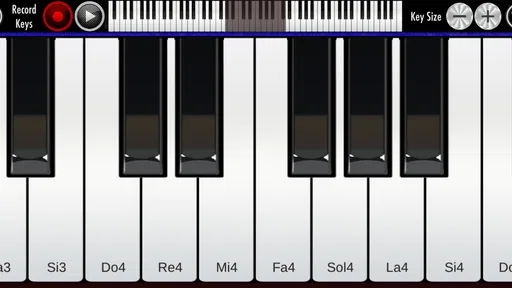
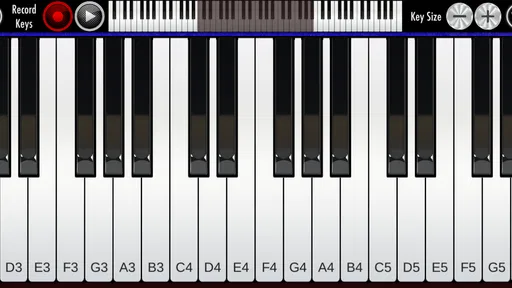
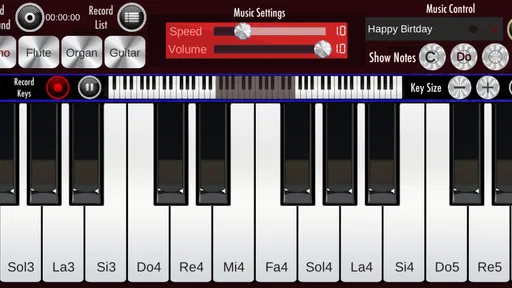
Our Review of Real Piano
 Analysis by Appyee
When I need a quick way to explore a melody, check how a chord feels, or occupy a few spare minutes with music, a phone piano can be genuinely handy. Real Piano is a touch-keyboard game from Bilkon, and I find it most useful when I treat it as a compact musical sketchpad rather than a replacement for a proper instrument. It is free, rated for Everyone, and has a 3.7 average from around 260,000 ratings, so it has clearly reached a broad audience while still drawing mixed reactions.
A practical way to begin
My first useful habit is to decide what I want from a session before tapping around. For a beginner, that might mean finding middle C and repeating a simple sequence; for someone who already plays, it could be checking a tune’s shape or trying a chord voicing. On a phone, the keys are necessarily much smaller than a piano’s, so short, deliberate exercises work better than expecting a full practice session to feel natural.
I also suggest starting slowly and keeping the goal modest. A short phrase played evenly is more useful than rushing through a familiar song and losing track of where the notes land. If I am using a touchscreen piano away from home, I focus on note order, rhythm, and musical ideas rather than judging my technique by the feel of the keys. That distinction makes the app more satisfying and keeps its limits in perspective.
Choosing the right setup for the moment
Before settling into a routine, I would check the available controls and choose a layout that is comfortable on the device in hand. Screen size makes a real difference: a tablet gives fingers more room, while a phone is easier to carry but encourages simpler patterns. If the interface offers instrument or audio adjustments, I treat them as practical choices rather than decoration. A sound that helps me recognize notes is more useful than one that merely catches my attention.
It is worth testing the audio response with a slow scale before attempting quick runs. If notes seem to arrive late, I would first simplify the passage and listen for whether the delay affects every tap or only dense playing. That little check can separate a device or touch limitation from a mistake in timing. It also prevents an unproductive session where I keep speeding up while the sound no longer feels connected to my fingers.
Build repeatable practice habits
A simple routine makes a mobile keyboard more useful than opening it only when boredom strikes. I might play a short warm-up, repeat one melodic fragment, then try it at a steadier pace without looking down as much. On a commute or during a quiet break, I would keep the session brief and avoid relying on sound if the setting is unsuitable. The point is to reinforce a musical idea, not to turn every spare moment into a performance.
When learning a tune, breaking it into small pieces is a better approach than trying to reproduce the whole thing straight away. I would isolate a few notes, repeat them until the sequence feels familiar, and then connect that fragment to the next one. This workflow is useful on any touchscreen keyboard because it reduces the need for wide hand movements and helps reveal which transitions cause trouble. It is also a sensible way to use the app if I have no instrument nearby and want to remember an idea before it slips away.
Know what a touchscreen piano can and cannot do
A virtual keyboard can help with note names, melodies, chord exploration, and casual play, but it cannot reproduce the physical response of piano keys. Finger strength, key travel, and expressive control are central to playing an acoustic or weighted digital piano; tapping glass does not train those elements in the same way. For that reason, I would use this as a companion for musical thinking, not as my only tool if I am preparing for lessons, an audition, or a performance.
Fast passages are another point where expectations matter. A crowded phone screen makes accurate multi-finger playing harder, and any perceived audio lag becomes more noticeable when notes arrive in quick succession. If that is the kind of practice I need, a larger keyboard or a real instrument is the better choice. The phone version still has value for sketching a phrase or checking a harmony, but it is not the setup I would choose to refine advanced technique.
Getting Started with Real Piano
First things first, downloading Real Piano is a breeze. Available on both Android and iOS, it's easily accessible from your favorite app store. Once installed, you're greeted with a sleek and intuitive interface that’s perfect for all users, whether you’re a complete beginner or a seasoned maestro.
Features Galore
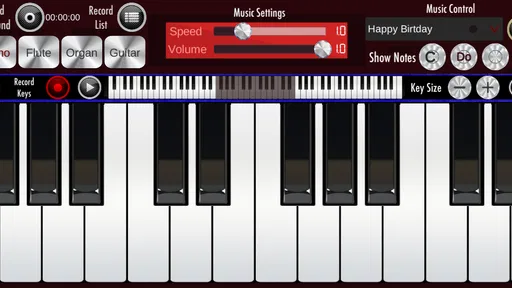
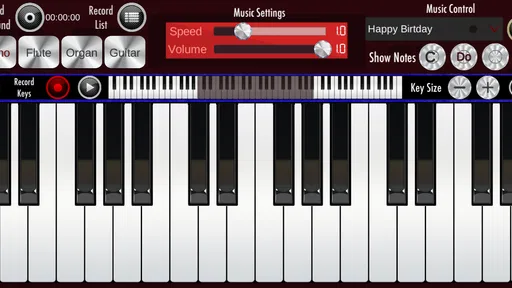
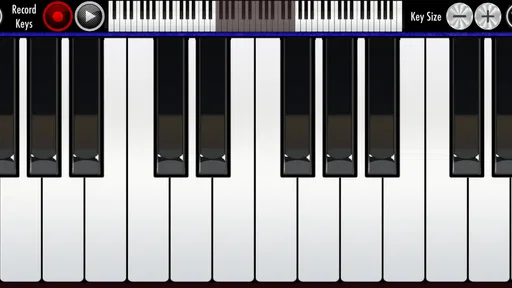
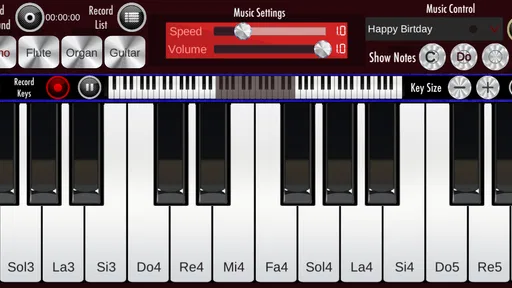
The app boasts a range of features that make it not just fun, but incredibly useful. Real Piano includes a full 88-key keyboard, giving you the complete range of notes found on a real piano. The sound quality is impressive, capturing the rich and resonant tones of a grand piano. Plus, it’s got multi-touch support, so you can play those complex chords without a hitch.
If you're just starting out, you'll appreciate the app’s built-in lessons. These step-by-step tutorials are designed to guide you through the basics and beyond. The app even includes a metronome and recording feature, allowing you to keep time and track your progress as you practice.
Practice Makes Perfect
One of the standout features for me was the song library. From classical pieces to modern hits, the library offers a wide selection of songs you can learn at your own pace. The app lets you slow down the tempo, focus on specific sections, and even loop tricky parts until you’ve nailed them. It’s like having a piano teacher right in your pocket!
And let's not forget the customization options. You can change the keyboard layout, adjust the audio quality, and even switch to different instrument sounds if you’re in the mood for something different. It’s incredibly versatile and allows for a personalized experience.
Who will get the most from it?
I would recommend this kind of setup most readily to curious beginners, casual players, and people who already know some music but want a pocket-sized place to try ideas. Real Piano has been released since June 2, 2017, and its current version is 1.31; it supports Android 7.1 or later. Bilkon’s music game has passed 100 million installs, which helps explain why it is easy to encounter, but popularity alone does not make a phone keyboard right for every player.
A realistic use is the small gap between activities: I might have ten minutes before a friend arrives, open the keyboard, and work out the contour of a tune I heard earlier. I can test whether the melody rises or falls, locate notes, and save the idea in my memory before sitting at a proper piano later. That is a different goal from learning a complete piece with polished fingering, and the app is more convincing when I use it for the former.
Compared with a piano-learning course, a virtual keyboard is more immediate and less demanding: I can start playing without arranging a lesson or setting up an instrument. A dedicated course may offer a clearer curriculum and feedback, while a physical or MIDI keyboard gives a more realistic playing surface. Real Piano sits in the useful middle ground of quick access and casual exploration. I would skip it if my main aim were to build reliable hand technique, perform fast two-handed passages, or replace structured instruction.
Small choices that improve a session
When I want to make a session repeatable, I keep the same simple starting point: check the sound at a comfortable level, play a short scale, and then move to one specific phrase or chord. Repeating that sequence makes it easier to tell whether I am improving at the musical task or merely tapping randomly. If I am using the song material, I work on a short section at a time rather than treating the whole piece as one challenge; slowing a difficult passage is useful only if I later bring it back toward the intended pace.
The recording and metronome can serve different purposes, so I would not use them as interchangeable tools. A metronome helps me notice whether my timing drifts; a recording lets me hear the result afterward and catch uneven notes or hesitations I missed while playing. A practical loop is to record a short attempt, listen once without playing, and choose just one thing to fix in the next run. That keeps feedback manageable instead of turning practice into a vague demand to “get better.”
There is also a trade-off in customizing sounds. Trying another instrument can make casual play more entertaining, but changing the sound repeatedly can distract me when I am trying to memorize notes. I prefer to settle on one sound for a learning session, then experiment after the main task is done. Similarly, a layout adjustment is worth keeping only if it genuinely makes the keys easier to reach; constant rearranging can interrupt the very repetition that helps a phrase stick.
Room for Improvement?
While Real Piano is an excellent app, there’s always room for improvement. Occasionally, I noticed slight latency issues when playing fast passages, which could be a bit frustrating for advanced players. However, this is a minor drawback considering the app's overall performance and features.
Additionally, some of the more advanced lessons and song libraries require in-app purchases. While understandable, it might be worth considering for those on a tight budget. But trust me, the free content is more than enough to get you started and keep you busy for a while.
My verdict after making it a habit
For a first-time user, the natural question is whether this can teach piano on its own. I would treat the lessons and guided song practice as a helpful starting point, while remembering that a touchscreen cannot correct posture, fingering, or the feel of a real key. If I were learning seriously, I would combine the app with time at a physical keyboard and use the phone for review between sessions. That division of labor is more realistic than expecting one app to cover every part of learning music.
Another sensible question is whether it suits a child or a family device. Its Everyone age rating makes it broadly accessible, and the straightforward act of tapping notes can make it approachable for a young beginner with an adult nearby. I would still keep expectations practical: it can invite curiosity and support basic musical play, but a child who wants to develop lasting technique will benefit from a suitably sized instrument and guidance as well.
In conclusion, Real Piano is a fantastic tool for anyone looking to learn or practice piano without the need for a traditional setup. Its user-friendly interface, extensive features, and high-quality sound make it a top choice for mobile musicians. Whether you’re playing Beethoven’s classics or jamming to modern pop hits, this app is sure to hit all the right notes.
Final recommendation
My recommendation is deliberately specific: try it if you want an accessible way to explore melodies, follow a guided song, or keep a musical idea close while you are away from an instrument. I would not choose it as my main practice environment for expressive playing or advanced technique, and the mixed 3.7 average is a reminder that a virtual piano will not satisfy everyone’s expectations. Still, because it is free and familiar to a huge audience, it is an easy option to test for casual use. If it helps you turn a spare moment into a bit of focused music-making, it has done its job; if you quickly outgrow the small-screen feel, moving to a real keyboard is the sensible next step.
Privacy and Permissions
See what permissions an app requests and how it handles your data.
- Other
- view network connections, full network access, control vibration, prevent device from sleeping
Verdict
Strengths of Real Piano
- User-friendly interface for beginners.
- High-quality sound samples.
- Wide range of instruments available.
- Customizable metronome settings.
- Supports MIDI connectivity.
Limitations of Real Piano
- Contains in-app ads and purchases.
- Limited free features.
- Requires internet for full functionality.
- Large app size may impact storage.
- Occasional latency on older devices.
Similar Picks in This Category
View All
Tiles Hop Music & Ball Game
AMANOTES PTE. LTD.4.3

Magic Tiles 3™ - Piano Game
AMANOTES PTE. LTD.4.6

Piano Game: Classic Music Song
Dream Tiles Piano Game Studio4.0

Smash Colors: Music Ball Rush
BADSNOWBALL HONGKONG LIMITED4.2

Piano Music Go-EDM Piano Games
Joy Journey Music Games4.5

Piano Fire: Edm Music & Piano
Adaric Music4.6
Frequently Asked Questions
What features does Real Piano offer?
Real Piano comes equipped with a variety of features including a full 88-key keyboard, multiple instrument sounds like grand piano, synthesizer, and organ, as well as recording capabilities. It also offers a metronome, pedal support, and the ability to connect with MIDI devices, making it suitable for both beginners and advanced musicians.
Is Real Piano suitable for beginners?
Absolutely! Real Piano is designed with beginners in mind, offering an intuitive interface and a range of tutorials to help new users learn the basics. The app also includes features like guided lessons and practice exercises, making it an excellent tool for those just starting their musical journey.
Can I use Real Piano without an internet connection?
Yes, Real Piano can be used offline. While some features such as downloading new sound packs or accessing certain tutorials might require an internet connection, the core functionalities, including playing and recording, are available without being connected to the internet. This makes it convenient for on-the-go use.
Is Real Piano compatible with external devices?
Real Piano is compatible with a range of external devices. You can connect MIDI controllers and keyboards for an enhanced playing experience. Additionally, the app supports Bluetooth connectivity, allowing you to link it with other audio devices for better sound output.
Does Real Piano have any in-app purchases?
Yes, Real Piano offers in-app purchases. While the basic version is free, you can buy additional features such as premium instruments, advanced lessons, and ad-free usage. These purchases are optional but can enhance your experience by providing more tools and resources for your musical practice.
Play our best games!


